Phantom Blade Zero PS5 Graphics Modes: Quality, Balanced and Performance Compared
Choose native 4K at 30 FPS, upscaled 4K at 40 FPS on PS5 Pro, or upscaled 2K at 60 FPS for smoother combat.


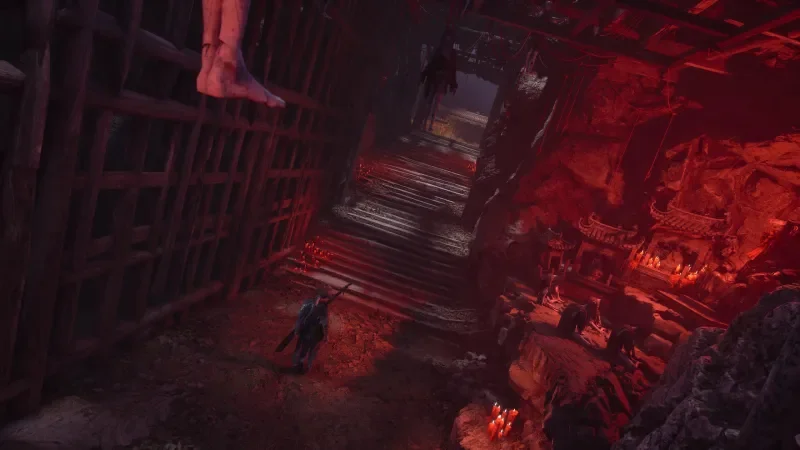
In Phantom Blade Zero, the graphics mode changes how the action feels as much as how it looks. S-Game’s fast sword fights reward responsive motion, while the game’s detailed art makes higher resolution tempting. On PlayStation 5, the choice comes down to native 4K at 30 frames per second, or upscaled 2K at a targeted 60 FPS. PS5 Pro owners also get a middle option: upscaled 4K at 40 FPS, provided their display supports 120Hz and variable refresh rate (VRR).
For most players with a compatible screen, Balanced is the strongest compromise. If you’re on a standard PS5 and value the feel of combat, Performance is the straightforward pick. Quality suits players who put image detail first or want to slow down and take in the scenery.
Balanced Mode finds the middle ground on PS5 Pro
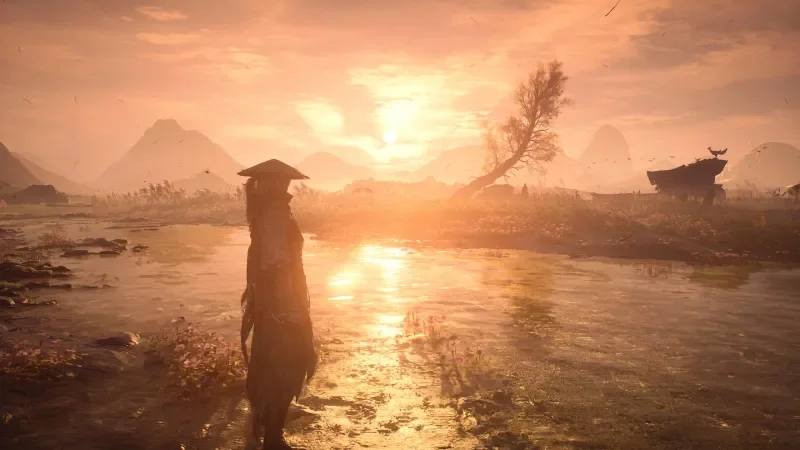
Balanced mode renders an upscaled, checkerboarded 4K image at 40 FPS. It’s available on PS5 Pro, and its higher frame rate depends on having a 120Hz display with VRR. Many 120Hz televisions include VRR, but check your display’s specifications before choosing this mode.
The appeal is the balance between clarity and motion. The image sits just below native 4K in sharpness, while 40 FPS feels noticeably smoother than 30 FPS. That extra fluidity matters in an action game built around quick movement and close combat, and the resolution remains high enough to show off the art without making image detail the sole priority.
For players who don’t closely compare images side by side, the difference between upscaled and native 4K may be hard to spot during regular play. Balanced keeps much of the visual crispness while giving combat more breathing room than Quality mode. If your PS5 Pro and TV meet the requirements, it’s the mode to try first.
There’s a practical caveat: Balanced isn’t available on the standard PS5. If you don’t have a PS5 Pro, the decision is between the sharper, slower Quality mode and the lower-resolution, faster Performance mode.
Performance prioritizes the pace of combat
Performance mode targets a steady 60 FPS and uses upscaled 2K resolution. Its image is less crisp than the other options, but the higher frame rate gives movement a smoother feel. In a game where fights move quickly, that can matter more moment to moment than extra resolution.
Choose Performance if responsiveness is your priority, or if you find 30 FPS distracting during combat. The lower image resolution can look blurrier beside the 4K modes, particularly when comparing them directly. During ordinary play, though, the motion may be the detail you notice most. This is the clearest recommendation for players who want the action to feel as fluid as possible on a standard PS5.
That tradeoff is worth making deliberately: Performance doesn’t preserve the same level of fine image detail, and players who care most about a sharp picture may prefer Quality. But the faster presentation suits the game’s pace, making Performance a sensible default for long stretches of fighting.
Quality delivers native 4K at 30 FPS
Quality mode runs at native 4K and 30 FPS. It offers the sharpest image of the three modes, bringing out the visual work of S-Game’s art team. If image quality is your main concern, or you’re exploring at a slower pace and stopping to take screenshots, it’s the option that shows the game at its most detailed.
The cost is the lower frame rate. At 30 FPS, combat won’t feel as fluid as it does in Performance or Balanced, so this mode is less appealing if you spend most of your time in fights. It can still make sense when you’re wandering through Wulin and want to appreciate the environments. Switching modes to suit what you’re doing is a reasonable way to enjoy both the visuals and the action, though players who prefer to settle on one setting may find Performance or Balanced easier to stick with.
Ray tracing and mode choices at a glance
On PS5 Pro, ray tracing can be enabled in each of the three modes. Testing across the modes with the feature on and off found no noticeable change in performance or issues. If you like the result, there’s little reason in this testing to disable it.
- Quality: Native 4K resolution at 30 FPS.
- Balanced: Upscaled 4K resolution at 40 FPS on PS5 Pro, with a 120Hz display and VRR.
- Performance: Upscaled 2K resolution at 60 FPS.
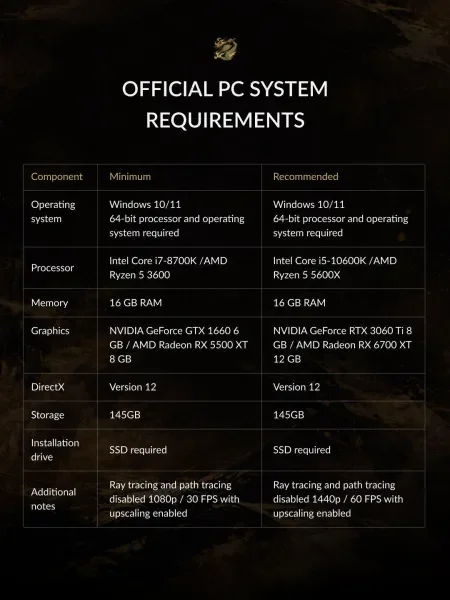
Phantom Blade Zero is available on PlayStation 5 and PC via Steam and the Epic Games Store. The PC requirements and specifications are shown below.
For more on the game, read Game Informer's Phantom Blade Zero review, its tips for new players, and a guide to the requirements for seeing the best ending. The mode choice comes down to what you want from each session: smoother fights, sharper scenery, or a middle ground for both.