Pixel Basketball Codes for November 2026: Free Coins, Spins and a Slot
Redeem three active Pixel Basketball codes for coins, lucky spins and a free slot. Here’s how to claim them and troubleshoot code errors.
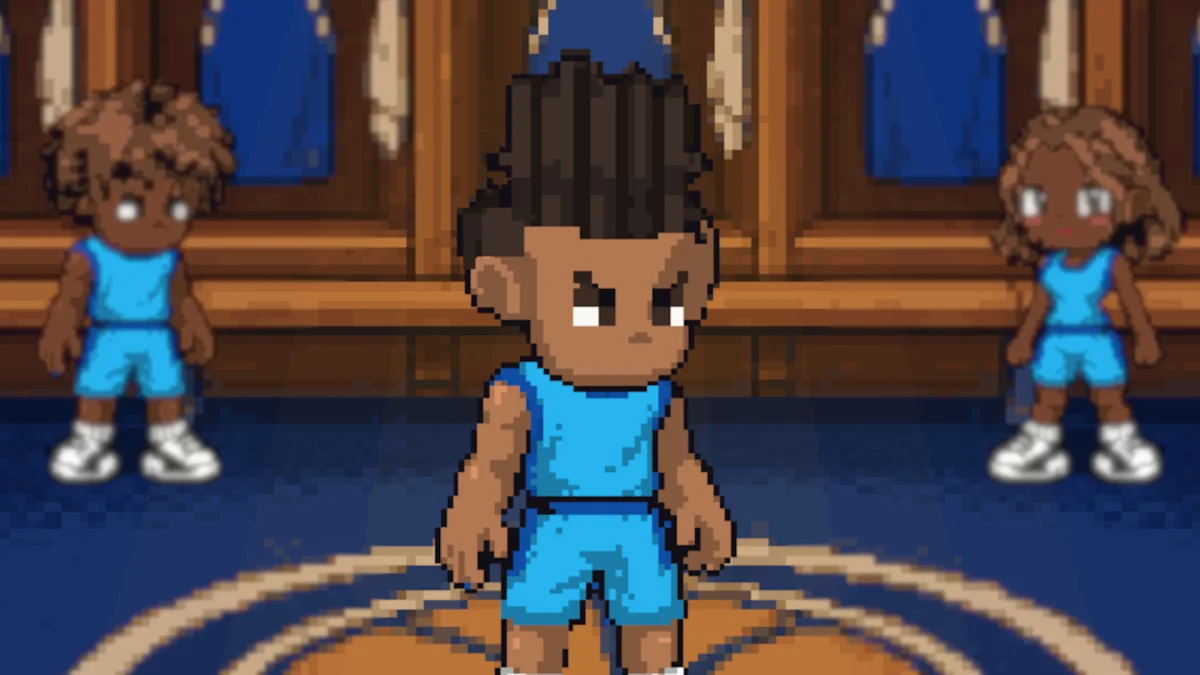
Three active Pixel Basketball codes offer Roblox players a quick boost: a free slot, lucky spins and coins. The newest code, FREESLOT, grants one slot and five spins, while two other codes add coins or more spins. Those rewards give players extra ways to customize their baller and make progress without earning every bonus through play. They’re small boosts, but they also show how a game can use codes to give players a reason to check back between sessions.

Active Pixel Basketball codes and rewards
Enter each code as shown below. Codes aren’t case-sensitive, but copying them carefully helps avoid errors from a mistyped character or an extra space. It’s sensible to redeem them individually, too, so you can tell which reward appeared and spot a problem before moving on.
| Code | Reward |
|---|---|
| FREESLOT (new) | One slot and five lucky spins |
| 23250LIKES | 1,000 coins |
| THANKYOU5KCCU | Ten lucky spins |
The rewards serve different purposes. Coins provide in-game currency, while lucky spins offer another way to pursue items or customization rewards. A slot adds an extra space to work with, which may give players more flexibility as they build a setup. The source doesn’t specify what each spin can award, so check the in-game interface for the available possibilities rather than assuming every spin leads to a particular item.
That difference matters when deciding which code to enter first. If you’re more interested in trying customization options, the spins may be the more appealing reward; coins are a clearer, fixed amount of currency. FREESLOT stands out because it combines two reward types in one redemption. This is more significant than it looks: a mixed reward can appeal to players with different priorities, even if the individual bonuses are modest.
Pixel Basketball pairs its customization focus with bright pixel art, giving the Roblox game a retro look. For players drawn to that style, the codes are a straightforward way to collect a few extras before heading onto the court. And yet, the codes don’t tell you how much those extras will change a session; that depends on what the game lets you do with the slot, spins and coins.
How to redeem the codes
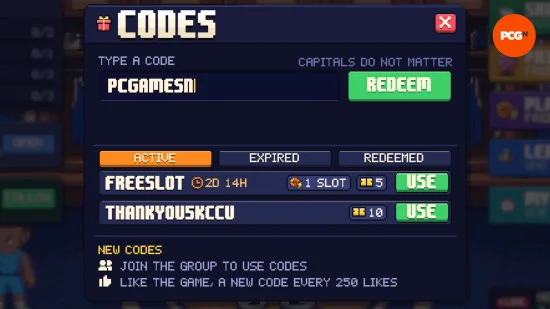
There are a few steps to complete before the code box is ready. Join the Pixel:Games Roblox group and like Pixel Basketball, then launch the game. Complete the short tutorial or skip it if that option is available. From there, open the present icon at the top of the screen, enter a code in the box and select Redeem. The game should then show what the code unlocked.
Redeem the codes one at a time so you can see which reward each one grants. If you’re entering them manually, check the letters and numbers before submitting, especially in codes that combine both. Copying and pasting can make entry quicker, but be sure there’s no blank space at the start or end. Here's the thing: a code that looks right at a glance can still fail if an invisible space tags along.
Once a reward appears, check the relevant part of the game to confirm what was added. That makes it easier to distinguish a successful redemption from a delayed or unclear confirmation, and it gives you a better sense of what the reward actually does. A small bit of housekeeping. It can save a repeat attempt later.
What to check when a code fails
A failed redemption doesn’t always mean the code was typed incorrectly. Pixel Basketball codes aren’t case-sensitive, but spelling still matters, and an unnoticed space can prevent the game from accepting an otherwise valid entry. Delete the text and enter it again if the first attempt doesn’t work. If the code still fails, move on to checking whether it remains active.
Codes can also expire. If you’ve checked the spelling and removed extra spaces but still can’t redeem one, it may no longer be active. The available list can change as codes stop working, so it’s useful to check the current rewards before planning around a particular bonus. Similar code systems often tie rewards to a limited window or a game update, but the information here doesn’t give an expiry date for any of these offers.
That distinction is useful: a typing error is usually fixable on the spot, while an expired code isn’t. If you’re working in this space, keep a current list close at hand and treat each listed reward as available only while the game accepts it.
Where to find more codes
The active codes are listed beneath the code box in the game, making that an in-game place to check for new rewards. Players who are verified for chat on Roblox can also find a link to the Pixel Basketball Discord server at the bottom of the game’s page. The server is a place to follow game news and share suggestions for future content. Checking these sources gives players a route to updates without relying on an old list circulating elsewhere.
For a refreshed list, you can also follow PCGamesN on Google or return to this page as new codes are added. The current expired codes are GOATSTYLE, UPDATE1, VOICECHAT, BLOCKINGFIX, BLOCKSFIXEDNOW, MINIUPDATE and QOL. Try the three active codes first, then check the in-game listing for additions before your next session.
What the codes mean for players
Codes are a low-friction way to reward attention: players get a few extras, while the game has a reason to bring them back to its page or community channels. The value depends on what those bonuses unlock in practice, and the available details don’t establish how much they affect progression. That makes it worth checking the reward in-game before building plans around it.
For now, FREESLOT is the most varied offer in the listed batch, while the coin and spin codes provide more focused bonuses. Redeem them while they’re active, keep expectations measured, and check the game’s own listing when you return.