DeckyHub Brings More Than 300 Community Plugins to Steam Deck
DeckyHub puts over 300 plugins outside Decky Loader’s store in one browsable hub, with in-Game Mode installation and updates.

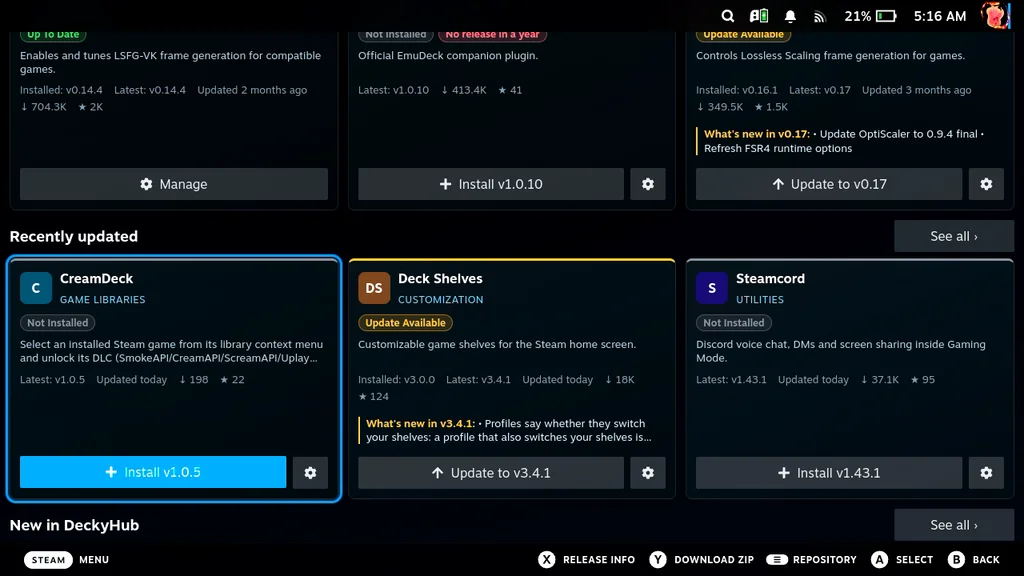
DeckyHub tackles a familiar Steam Deck hassle: finding and updating Decky plugins that aren’t listed in Decky Loader’s store. The community-made plugin gathers more than 300 of them in one hub, where users can browse categories, install plugins, and check for updates without leaving Game Mode. That matters because plugin discovery can otherwise be scattered across individual project pages, each with its own release history and installation instructions. DeckyHub puts those steps in a familiar console interface, lowering the friction for users who want to customize their handheld without treating every plugin as a separate research task.

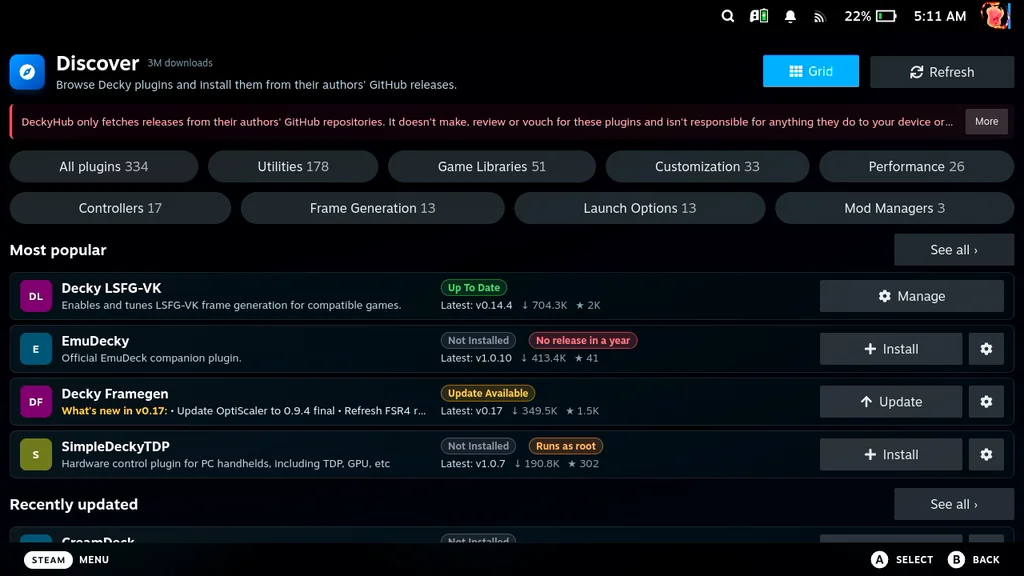
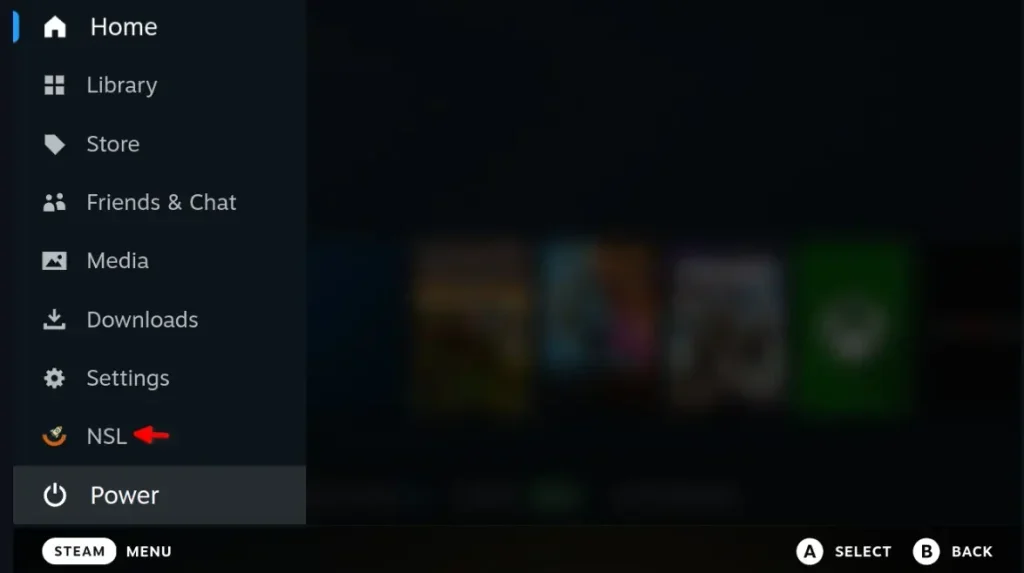
That convenience changes the routine. Without DeckyHub, users may need to visit individual GitHub project pages, download plugin files, and install them by hand, often after switching to Desktop Mode. DeckyHub brings those discovery and update steps together in a single interface, which is useful when a user has more than one plugin to manage. The first step still takes some effort: DeckyHub itself must be installed manually. Once it’s set up, its catalog can make subsequent installs and updates much less fiddly, though users still need to decide which projects they trust and want on their device.

A single place to browse and update
Developer mazillka created DeckyHub with help from Claude AI. The catalog includes plugins that have not been approved for Decky Loader’s store, as well as plugins that don’t meet that store’s terms. The article points to NexusMods and Decky Home Themes as examples of tools users may find useful outside the store. That distinction gives the hub a clear role: it extends discovery beyond the official catalog, where store rules determine what appears. A wider catalog can be valuable, but it also asks users to pay closer attention to what each plugin does and where it comes from.
The distinction matters for people who already install community plugins from other sources. Instead of tracking each project separately and remembering where to check for new versions, users get a dedicated update tab for installed plugins. The article’s author says that feature could help surface updates they might otherwise miss. For anyone managing several plugins, a shared update view is a practical improvement: it reduces the number of project pages to revisit and makes the catalog easier to use as a regular check-in point. This is more significant than it looks; updates are easy to postpone when checking them means repeating a desktop-oriented process for every project.

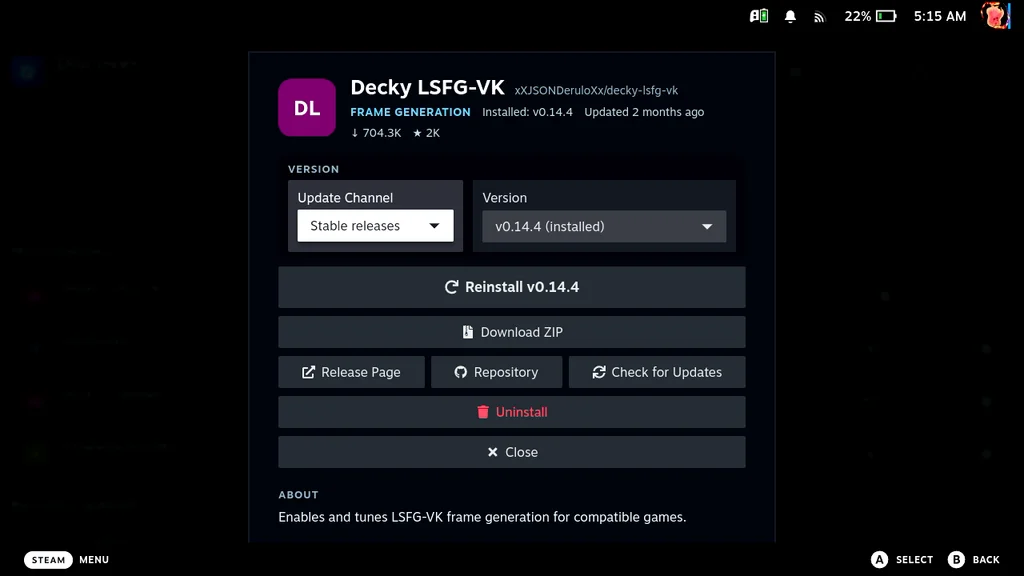
DeckyHub’s layout offers categories and more than one way to view the catalog. The author found the default list view quick to scan, but said it doesn’t make each plugin’s purpose clear at a glance. In some cases, users need to open a detail page or follow a release link to understand what a plugin does. Grid view shows descriptions more clearly, though fewer plugins fit on screen at once. That’s a familiar interface tradeoff: density helps users move through a large catalog, while context helps them make a better-informed choice.
That tradeoff makes discovery less smooth than installation. A list that gives each plugin a short, readable description while keeping many results visible could help users compare options without opening several pages. For now, switching to Grid view gives a better sense of each plugin’s role, while the list view makes it easier to scan more entries. If you’re browsing for a specific kind of tool, categories and descriptions can narrow the search; if you’re checking a familiar catalog, the denser list may be quicker. The current design serves both tasks, but doesn’t make either view perfect.
AI assistance and plugin transparency
The project’s development involved Claude AI, according to the source. It also notes that mazillka has more than eight years of .NET engineering experience, based on the developer’s résumé. The author sees that background as relevant context for the developer’s ability to review and understand the work produced with AI assistance. That context is useful, but it doesn’t answer every question a user might have about how AI contributed or how the resulting code was checked. The distinction between assistance and authorship can matter to readers assessing a project’s maintenance and accountability.
Still, the article raises a useful question about transparency: it would like to see an AI-developed label on plugin pages. A clear note could help users understand how a project was made without making them dig through external information. That detail would complement the browsing tools, especially as the catalog collects projects with different origins and development histories. (And this is the part most people overlook.) A catalog can make installation easier while leaving the harder evaluation work to the user; concise information about a plugin’s purpose, source, and development would help close that gap.
What DeckyHub changes for Steam Deck users
DeckyHub’s value rests on a modest but useful shift: it brings community plugin discovery and update checks into Game Mode, where users already spend time with the device. It doesn’t remove the manual setup needed to install the hub itself, and its list view could explain plugins more clearly. But after that initial setup, browsing a collection of more than 300 plugins and checking for updates from Game Mode offers a simpler way to keep a community plugin setup current. One caveat remains: convenience can make a catalog feel like an endorsement, so clear descriptions and transparent project information matter alongside easy installation.
For Steam Deck users already looking beyond Decky Loader’s built-in catalog, DeckyHub looks like a useful home base. Its strongest contribution is practical: fewer trips between Game Mode, Desktop Mode, and individual project pages. The interface still leaves room for better at-a-glance explanations, and the manual first install means the hub has a setup hurdle of its own. Even so, it gives plugin users a more coherent place to browse and maintain the tools they’ve chosen. A useful step forward, with discovery still needing polish.
Read more about DeckyHub on GitHub.